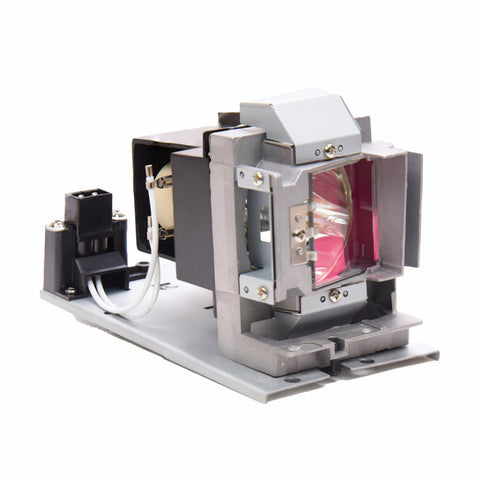
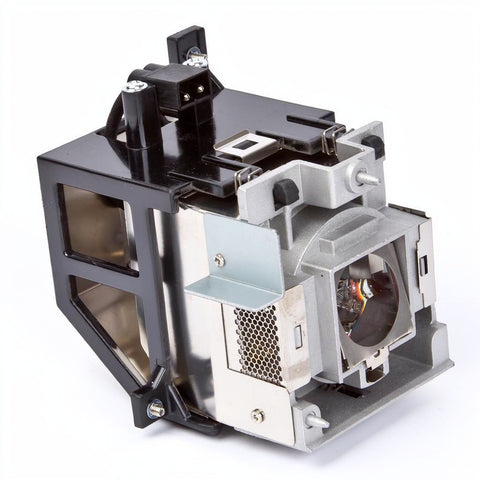
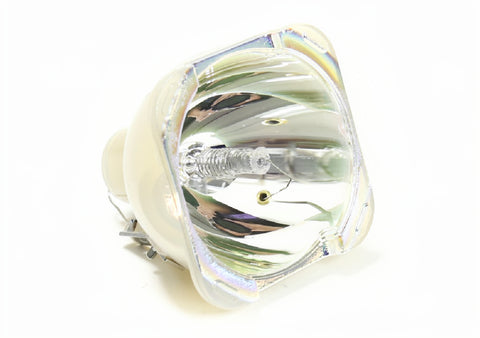
Sim2 DOMINO 35H bare projector lamp
We confirm the delivered price for United Arab Emirates on a formal quote, including shipping, duties where we can prepay them, and the correct local warranty terms.
The Sim2 DOMINO 35H uses a single bare burner that we list against the projector itself, since no manufacturer part number is published for this lamp. Buyers replacing the bulb in their DOMINO 35H should match the fitting and connector of their existing burner rather than search for a part code that does not exist for this model.
Because there is no part number to check, ordering the right lamp for a DOMINO 35H comes down to confirming the projector model on the unit itself before you buy. This is a bare burner only, so the housing from your current lamp stays in the projector and the old bulb is swapped out inside it.
Identification
Electrical
Supply
Grouped by brand. Every model below takes this same lamp. Tap one for its model page.
Sim2 (1)
180-day guarantee
If the lamp fails or dims badly within six months of delivery, choose a replacement or a full refund.
Fits, or the return is free
Order against your projector model. If it still doesn't fit, we pay the return label.
30-day returns
Unused lamps in original packaging, no restocking fee. Read the terms
Common questions.
With no Sim2 code shown, how is this DOMINO 35H lamp identified?
We list this lamp by the projector it fits, the Sim2 DOMINO 35H, rather than by a manufacturer code. Some Sim2 lamps do not carry a published part number, so the projector model itself is the safest way to identify the correct burner.
Should I keep my DOMINO 35H's old housing when this lamp arrives?
Yes. This is a bare lamp, so it ships as the burner alone for fitting inside the housing already installed in your DOMINO 35H. Keep the old housing and cage, and transfer only the bulb assembly across when you replace it.
How do I know this fits my projector?
Check the model plate on your projector or its on-screen information menu against DOMINO 35H before ordering. Since this lamp is identified by projector model rather than a part code, matching the exact model name is the key step.
Will the lamp timer need resetting after fitting?
Most Sim2 projectors, including the DOMINO 35H, track lamp hours and expect a reset once a new burner is fitted. The reset option is usually found in the lamp or maintenance section of the on-screen menu.
Is a generic photo used for this listing normal?
Yes. Some lamps in our catalogue, including this one, use a generic photo because no dedicated product image exists for the DOMINO 35H burner. The specification and fitment information given here are still accurate to this listing.
Lamps often confused with this one.
All 20 Sim2 lamps →Codes in the same family often differ by a single character, so check the part number against your old lamp before ordering.