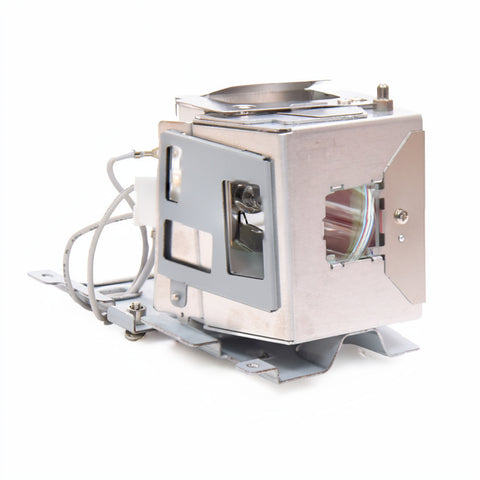
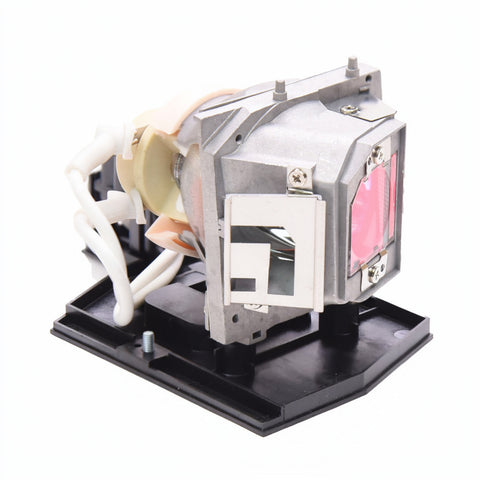
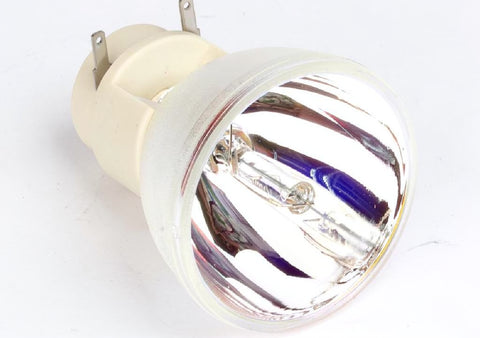
MC.JLE11.001 bare projector lamp
We confirm the delivered price for United Arab Emirates on a formal quote, including shipping, duties where we can prepay them, and the correct local warranty terms.
MC.JLE11.001 is the part number Acer assigns to the lamp fitted inside six of its projectors: the AF312, D452D, EV-833H, F1P1405, V31F and X152H. This is a bare lamp, meaning it is the bulb only, designed to go into the housing your projector already uses rather than arrive with a new module attached.
Because this is a bare lamp rather than a lamp-with-module, you will need to transfer the bulb into your existing housing during installation, or already own a compatible housing from a previous replacement. Check your projector model against the list above before ordering, since Acer uses the same code MC.JLE11.001 across all six of these units.
Identification
Electrical
Supply
Grouped by brand. Every model below takes this same lamp. Tap one for its model page.
The same physical lamp is sold under these codes. If the code on your old lamp, its housing or the manual matches any of them, this is the correct replacement.
180-day guarantee
If the lamp fails or dims badly within six months of delivery, choose a replacement or a full refund.
Fits, or the return is free
Order against your projector model. If it still doesn't fit, we pay the return label.
30-day returns
Unused lamps in original packaging, no restocking fee. Read the terms
Common questions.
Which Acer projectors take the MC.JLE11.001 lamp?
MC.JLE11.001 fits six Acer models: the AF312, D452D, EV-833H, F1P1405, V31F and X152H. Match your projector's model number against this list before ordering, since the same lamp code is used across the whole range.
Does the MC.JLE11.001 need my Acer's existing housing to complete the job?
Yes. This listing is a bare lamp, meaning it is the bulb alone rather than a bulb pre-fitted into a housing, so you will need to move it into your projector's existing housing when you install it.
How do I reset the lamp timer after fitting MC.JLE11.001?
Most Acer projectors have a lamp reset option inside the on-screen service or maintenance menu, usually accessed after the new lamp is fitted and the unit has powered on. Check your projector's own manual for the exact menu path, since it varies by model.
What is being promised when this bare Acer bulb is labelled 'original'?
An original lamp uses the same bulb and part number that Acer specified for these projectors when new, in this case MC.JLE11.001, rather than a bulb built to a different specification and sold as a fit.
How should I handle the bulb once it's out of the box?
Projector bulbs run under pressure when lit and get hot in use, so handle MC.JLE11.001 by its base rather than the glass, and let a used lamp cool fully before you remove it from the housing.
Lamps often confused with this one.
All 213 Acer lamps →Codes in the same family often differ by a single character, so check the part number against your old lamp before ordering.