
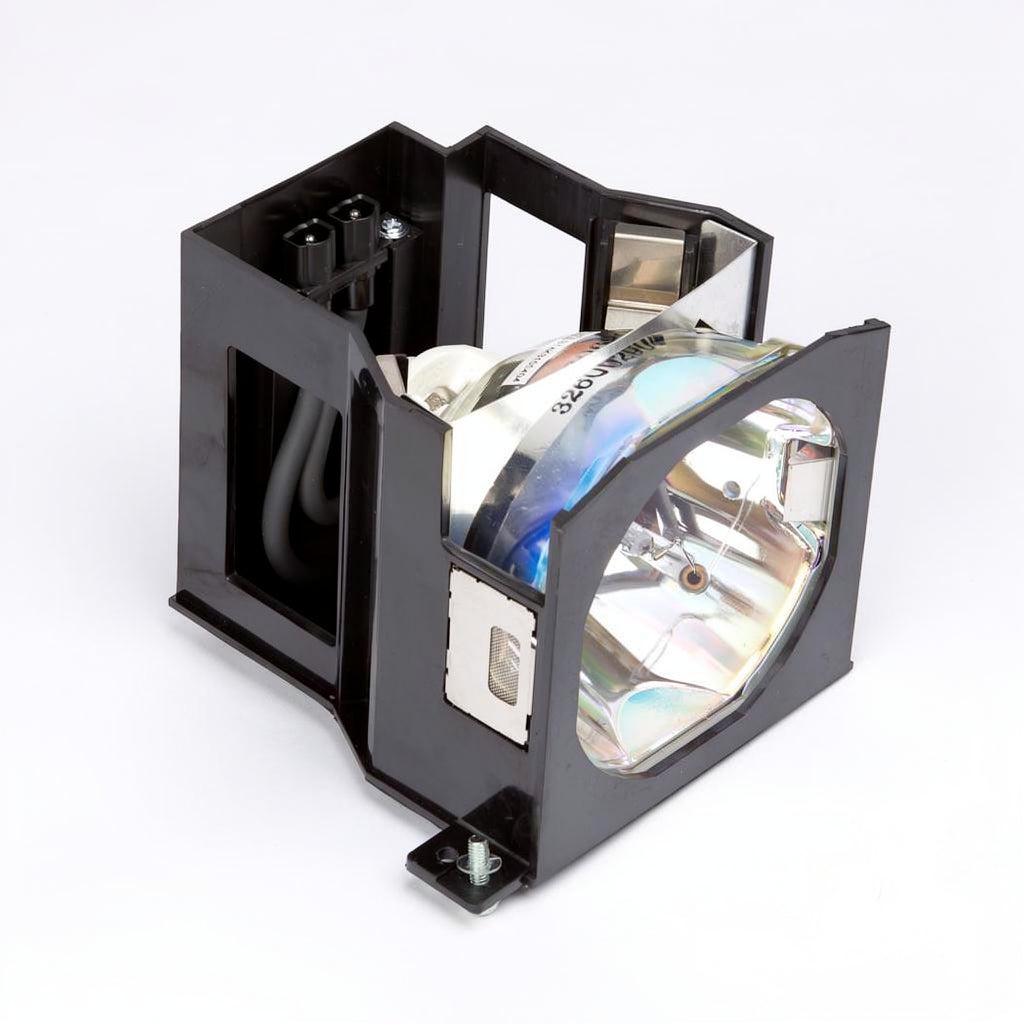
ET-LAD7700 projector lamp with module
We confirm the delivered price for United Arab Emirates on a formal quote, including shipping, duties where we can prepay them, and the correct local warranty terms.
The ET-LAD7700 supplies a complete replacement unit, pairing the bulb with its housing so the whole assembly seats directly into the projector. It fits nine single-lamp Panasonic models across the PT-D7700, PT-DW7000, PT-L7700, PT-LW7700 and TH-D7700 ranges, covering both the PT- retail line and the TH- installation variants of the same chassis.
Panasonic listed this lamp under one code, ET-LAD7700, so there are no alternative part numbers to weigh up. Because it ships as a module, fitting is a case of removing the old housing and inserting the new one; no separate lamp-and-cage assembly is required.
Identification
Electrical
Supply
Grouped by brand. Every model below takes this same lamp. Tap one for its model page.
180-day guarantee
If the lamp fails or dims badly within six months of delivery, choose a replacement or a full refund.
Fits, or the return is free
Order against your projector model. If it still doesn't fit, we pay the return label.
30-day returns
Unused lamps in original packaging, no restocking fee. Read the terms
Common questions.
Is the ET-LAD7700 listing a single lamp or a set?
This listing is one ET-LAD7700 lamp with housing, for one lamp position. On projectors that run more than one lamp, order one per lamp position, and check the model label against the compatible list before you order.
Is there a difference between the PT- and TH- model codes?
No. PT-D7700 and TH-D7700 are the same projector sold through different channels, and the same applies to the DW7000 and DW7000EK pairing. The lamp module fits all of them without modification.
Does this lamp come with alternative part numbers?
No, Panasonic assigned a single code, ET-LAD7700, to this module. There are no other part numbers to check against when ordering, so matching your old lamp's label to this one code is enough to confirm the fit.
How do I fit the module once it arrives?
The module replaces the housing as one piece. Power down the projector, let it cool, release the lamp door, withdraw the old unit and slide the new module into the same bay before securing the retaining screws.
Will the projector still show a lamp warning after I change it?
Yes, until the lamp timer is reset through the projector's on-screen menu. This is a separate step from fitting the module and is usually found in the maintenance or status section of the menu.
Lamps often confused with this one.
All 126 Panasonic lamps →Codes in the same family often differ by a single character, so check the part number against your old lamp before ordering.


