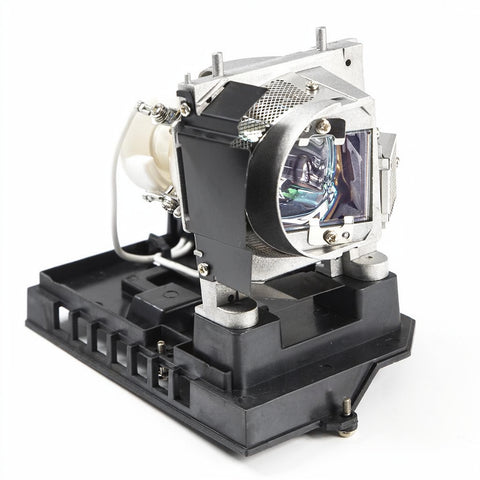
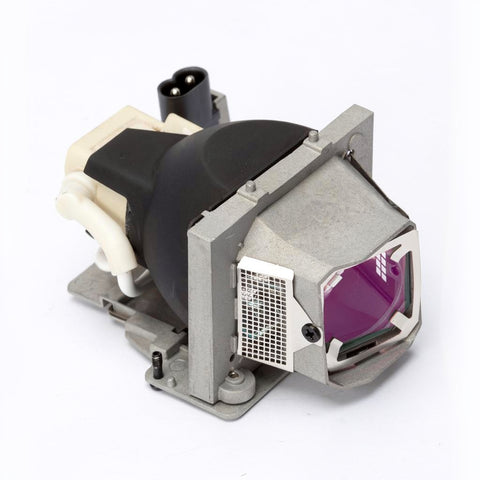
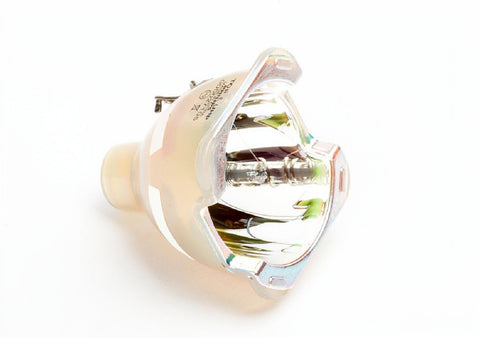
725-BBDO bare projector lamp
We confirm the delivered price for United Arab Emirates on a formal quote, including shipping, duties where we can prepay them, and the correct local warranty terms.
The Dell 1850 takes a bare bulb listed here as 725-BBDO, supplied without a housing for fitting into the one already in your projector. No wattage or rated-hours figure is published for this part, so we've kept the listing to what's confirmed: fit, part number and housing compatibility.
This bulb is also referenced as M39M7 on some records, describing the same part. Since this is a bare bulb rather than a module, you'll need to fit it into your current housing yourself - if that housing is cracked or the socket is scorched, a module version is worth considering instead.
Identification
Electrical
Supply
Grouped by brand. Every model below takes this same lamp. Tap one for its model page.
The same physical lamp is sold under these codes. If the code on your old lamp, its housing or the manual matches any of them, this is the correct replacement.
180-day guarantee
If the lamp fails or dims badly within six months of delivery, choose a replacement or a full refund.
Fits, or the return is free
Order against your projector model. If it still doesn't fit, we pay the return label.
30-day returns
Unused lamps in original packaging, no restocking fee. Read the terms
Common questions.
Is 'Dell1850' a typo or a different model from the 1850?
It's the same Dell 1850 projector, simply written without a space in some records rather than being a separate model. This bulb fits either way the projector happens to be labelled.
Does M39M7 replace 725-BBDO, or are they the same part?
They're the same bulb rather than one code replacing the other over time - both 725-BBDO and M39M7 are used for this identical part across different records and listings.
Why are watts and hours missing from this listing?
Those figures aren't published for the 725-BBDO, so rather than state an unconfirmed number we've left them out. The part number, fit and housing type are all confirmed as shown above.
How do I remove the old bulb from the Dell 1850's housing?
The bulb is usually held in the housing by two small screws and a connector clip, both accessible once the housing is out of the projector. Support the housing while removing the screws so the bulb doesn't drop out unexpectedly.
What's a sensible way to check I'm buying the correct lamp?
Match the part number printed inside your projector's lamp door, if visible, against 725-BBDO or its alternative code M39M7. If neither number appears, confirming the projector model against the Dell 1850 is the next best check.
Lamps often confused with this one.
All 57 Dell lamps →Codes in the same family often differ by a single character, so check the part number against your old lamp before ordering.