
PHOTO
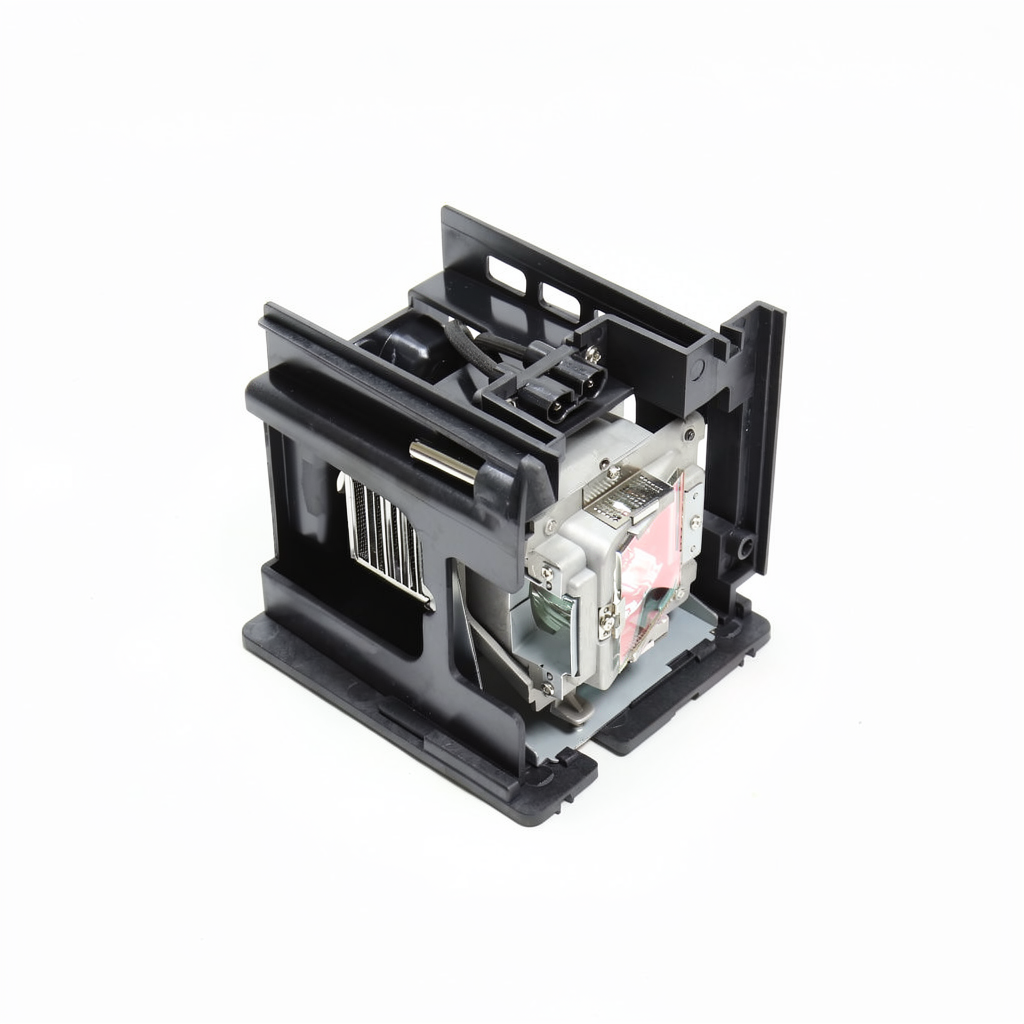
5J.04J05.001 projector lamp with module
Fits 2 projector models from Benq.
This is our reference price in US dollars. We confirm the delivered price for United Arab Emirates on a formal quote, including shipping, duties where we can prepay them, and the correct local warranty terms.
▣ Free worldwide shipping included
▣ 180-day guarantee
▣ Quotation valid 30 days
Typically 3–5 working days once the order is placed.
DUBAI
Sun-Thu 09:00-18:00 GST
BenQ's HT6050 and W8000 home cinema projectors share the lamp module 5J.04J05.001, supplied complete with housing. Both being aimed at home viewing rather than business use, they're built around the same internal lamp engine, hence the shared part number across the two models.
One code serves both models here, so there's no separate version to track down depending on whether you own the HT6050 or W8000. As a module, fitting replaces the bulb and housing together, which keeps the process to a straightforward swap rather than a bulb transfer.
At a glance
- Type — Projector Lamp with Module
- SKU — LA-11338
- Compatibility — 2 projector models
Common questions
Why do the HT6050 and W8000 share a lamp?
Both are built around the same optical engine within BenQ's home cinema range, which is why they use an identical lamp module despite having different model names.
Is a bare-bulb option available for these two projectors?
Not currently. The HT6050 and W8000 lamp is listed here only as the complete housed module, so anyone wanting a lower-cost bare-bulb option won't find one under this code.
How do I know my W8000 is due a lamp change?
A drop in brightness, colour that looks washed out compared with when the projector was new, or an on-screen lamp warning are the usual signs.
Does the HT6050 need any settings changed after fitting a new module?
Check the projector's lamp menu after installation, since many BenQ models need the lamp-hour counter reset manually so the maintenance reminder doesn't trigger too soon.
What's the safest way to remove the old module from either projector?
Switch off and unplug the projector, wait for it to cool fully, then release the lamp door using the screws specified in the HT6050 or W8000 manual.
This is a complete module — bulb already seated in its housing, so it drops straight in.
Why do the HT6050 and W8000 share a lamp?
Both are built around the same optical engine within BenQ's home cinema range, which is why they use an identical lamp module despite having different model names.
Is a bare-bulb option available for these two projectors?
Not currently. The HT6050 and W8000 lamp is listed here only as the complete housed module, so anyone wanting a lower-cost bare-bulb option won't find one under this code.
How do I know my W8000 is due a lamp change?
A drop in brightness, colour that looks washed out compared with when the projector was new, or an on-screen lamp warning are the usual signs.
Does the HT6050 need any settings changed after fitting a new module?
Check the projector's lamp menu after installation, since many BenQ models need the lamp-hour counter reset manually so the maintenance reminder doesn't trigger too soon.
What's the safest way to remove the old module from either projector?
Switch off and unplug the projector, wait for it to cool fully, then release the lamp door using the screws specified in the HT6050 or W8000 manual.
Other Benq lamps in the catalogue. Codes in the same family often differ by a single character, so check the part number against your old lamp before ordering.


