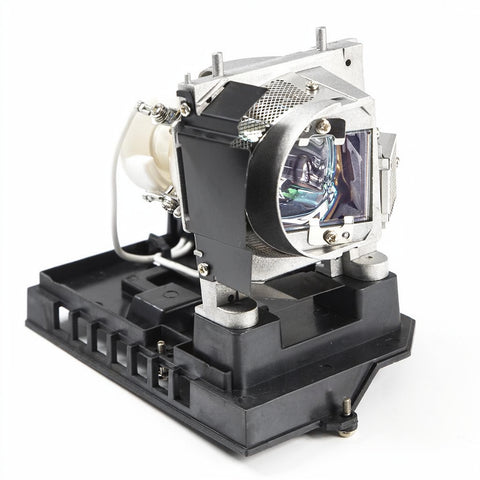
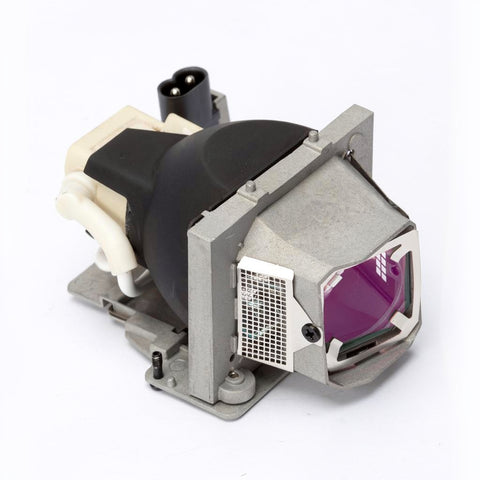
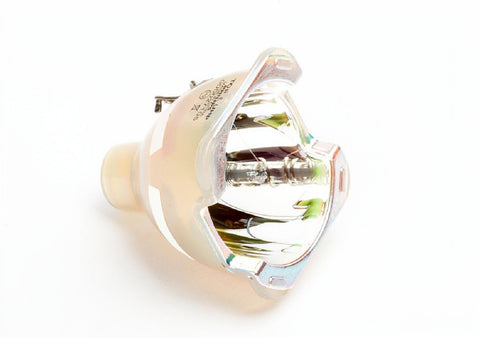
331-7395 bare projector lamp
We confirm the delivered price for United Arab Emirates on a formal quote, including shipping, duties where we can prepay them, and the correct local warranty terms.
331-7395 is the bare bulb listed for the Dell 7700 and 7700 FullHD projectors, supplied without a housing so it can be fitted into your existing one. It's intended for cases where the housing itself is still in working order and only the bulb has dimmed or stopped striking. Fitting is the same process as any bare-bulb swap on this range.
This part is also sold under the codes 725-10323 and 725-10331, all pointing to the same bulb. A module version with its own housing is listed separately under this same part number, worth choosing instead if your current 7700 housing has cracked or a mounting tab has broken off.
Identification
Electrical
Supply
Grouped by brand. Every model below takes this same lamp. Tap one for its model page.
Dell (2)
The same physical lamp is sold under these codes. If the code on your old lamp, its housing or the manual matches any of them, this is the correct replacement.
180-day guarantee
If the lamp fails or dims badly within six months of delivery, choose a replacement or a full refund.
Fits, or the return is free
Order against your projector model. If it still doesn't fit, we pay the return label.
30-day returns
Unused lamps in original packaging, no restocking fee. Read the terms
Common questions.
Why doesn't this listing show a wattage or lamp-life figure?
Those specifications aren't published for this particular part, so rather than guess we've left them out. Everything we do know about fit and compatibility is listed above, and the part number is confirmed against the Dell 7700 range.
Are 725-10323 and 725-10331 the same bulb as 331-7395?
Yes, all three codes describe the identical bare bulb for the Dell 7700 and 7700 FullHD. They appear as separate references in places, but they order the same part.
How do I know if my 7700 is the FullHD version?
The exact model designation is usually printed on a label on the projector body, often near the input panel or underneath the unit. Both the standard 7700 and 7700 FullHD take this same bulb, so it isn't critical to distinguish between them for this part.
What tools are typically needed to open the 7700's lamp housing?
Most Dell 7700 units use a small Phillips screwdriver to release the lamp door and the housing screws inside it. No specialist tools are usually required, though it's worth checking your specific unit's access panel first.
Should the projector be unplugged before removing the old bulb?
Yes, always disconnect the projector from the mains and allow it to cool before opening the lamp compartment. This avoids both electrical risk and contact with a bulb or housing that may still be hot.
Lamps often confused with this one.
All 57 Dell lamps →Codes in the same family often differ by a single character, so check the part number against your old lamp before ordering.