
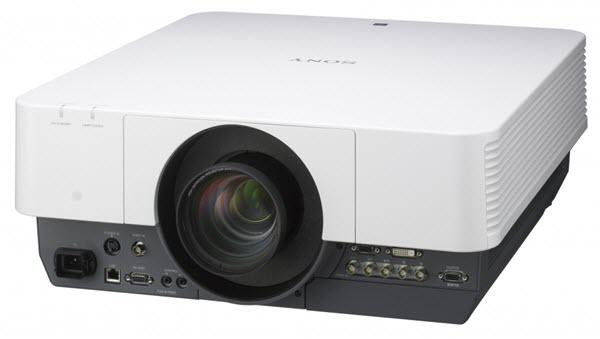
Sony VPL-FX500L projector lamp
The Sony VPL-FX500L takes lamp LMP-F330, a 330 W lamp rated for 6,000 hours. It comes as a complete module, with the bulb already fitted in its housing. It fits 4 Sony models in total.
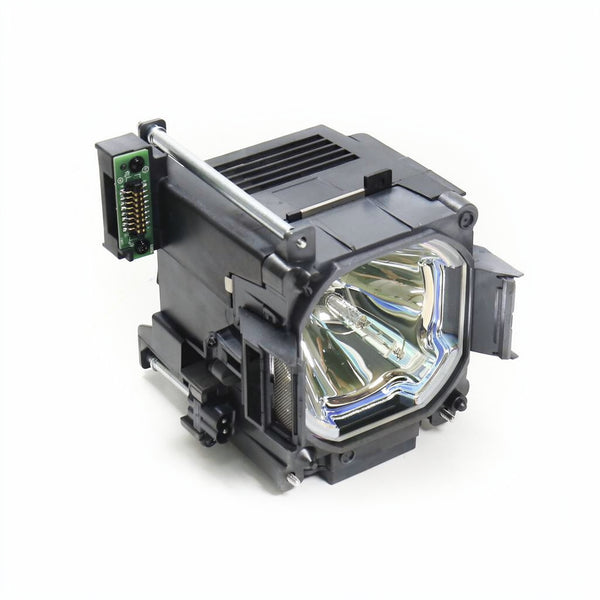
Replacing the Sony VPL-FX500L lamp.
The Sony VPL-FX500L uses the LMP-F330 lamp. It is a 330W lamp rated for 6,000 hours in normal mode and 8,000 hours in Eco mode. We sell it as a complete module, with the bulb already fitted in its housing. The projector uses two 330W UHP bulbs.
The VPL-FX500L is a 0.99-inch 3LCD projector with XGA resolution (1024x768) and a 4:3 aspect ratio. It was discontinued in April 2019. It is rated at 7,000 ANSI lumens with horizontal and vertical lens shift, and the lamp is also used by three other models: the VPL-F700HL, VPL-F700XL and VPL-FH500L.
Match the code on your old lamp or the model label to LMP-F330 before ordering. The module arrives with the bulb already fitted in its housing, which makes the swap quicker. Every lamp we sell carries a genuine OEM burner. After fitting, reset the lamp-hour counter from the projector's menu and follow the user manual.
Checked against our catalogue and the projector's published specifications, October 2026.Every code this lamp is sold under.
The code moulded into your old lamp or printed on its housing may be any of these. If it appears here, it fits the Sony VPL-FX500L.
Check the code before you order
The code on your old lamp or its housing should match one of the codes listed. Sony and third-party suppliers sell the same lamp under several numbers.
Not sure it's your model?
The model number is on a label on the base or rear of the projector, and in the on-screen menu under Information. Still unsure? Ask a specialist and we'll confirm.
Sony VPL-FX500L specifications.
The figures that matter when you replace the lamp, plus the projector's key specs.
This lamp also fits 3 other Sony models.
If your projector is one of these rather than the VPL-FX500L, the same lamp is the correct part.
Common questions.
Which lamp does the Sony VPL-FX500L use?
The Sony VPL-FX500L uses the LMP-F330 lamp, a 330W lamp rated for 6,000 hours in normal mode and 8,000 hours in Eco mode. The lamp is supplied as a complete module with the bulb fitted in its housing, under part number LMP-F330. The projector uses two of these bulbs.
How long does the Sony VPL-FX500L lamp last?
The Sony VPL-FX500L lamp, LMP-F330, is rated for 6,000 hours in normal mode and 8,000 hours in Eco mode. Both ratings also appear in the projector's specification. Compare these ratings with the projector's lamp-hour reading to see how much life remains.
Which other projectors use the Sony VPL-FX500L lamp?
Three other models use the same lamp as the Sony VPL-FX500L: the VPL-F700HL, VPL-F700XL and VPL-FH500L. The lamp is LMP-F330, so owners of those projectors can check that part number against the label on their old lamp before ordering.
How do I know the Sony VPL-FX500L lamp needs replacing?
The Sony VPL-FX500L lamp, LMP-F330, needs replacing when its lamp-hour reading nears the rated life of 6,000 hours in normal mode or 8,000 hours in Eco mode. Dimming or a change in color on either bulb is another sign that the lamp is wearing out. Watch for both signs before scheduling a swap.
How fast is delivery for the Sony VPL-FX500L lamp?
The Sony VPL-FX500L lamp, LMP-F330, ships in 3–7 working days to the Middle East and Africa, and in around 5–9 working days to the rest of the world. Those times apply to every order of the LMP-F330 module shown on this page.
The Sony VPL-FX500L lamp at a glance.
Replacing the lamp in the Sony VPL-FX500L.
- Turn the projector off and unplug the AC power cord from the wall outlet.
- Let the lamp cool for at least one hour before touching it; if a lamp has broken, contact qualified Sony personnel instead of replacing it yourself.
- Check which lamp needs replacing: the LAMP/COVER indicator flashes 3 times for Lamp 1, 4 times for Lamp 2 and 5 times for both.
- Loosen the two screws of the lamp cover on the side panel, slide the cover slightly toward the rear by its tabs and open it.
- Loosen the lamp's three screws and pull it straight out by its grab (not while the projector is tilted); note its orientation, as Lamp 1 and Lamp 2 sit upside down relative to each other.
- Push the new LMP-F330 lamp fully in and tighten its three screws; the cover will not close if they are loose.
- Close the lamp cover and tighten its two screws; the projector will not power on unless the lamp and cover are fitted correctly.
- Replace the air filter cartridges supplied with the replacement lamp.