
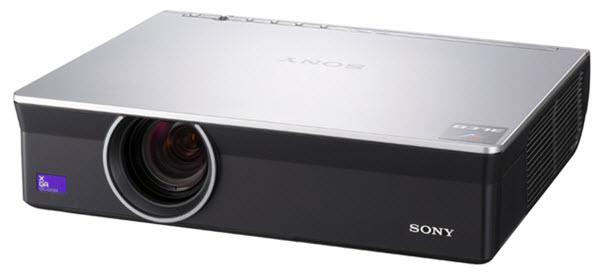
Sony CX155 projector lamp
The Sony CX155 takes lamp LMP-C200, a 200 W lamp rated for 2,000 hours (3,000 hours in eco mode) . It comes as a complete module, with the bulb already fitted in its housing. It fits 23 Sony models in total.
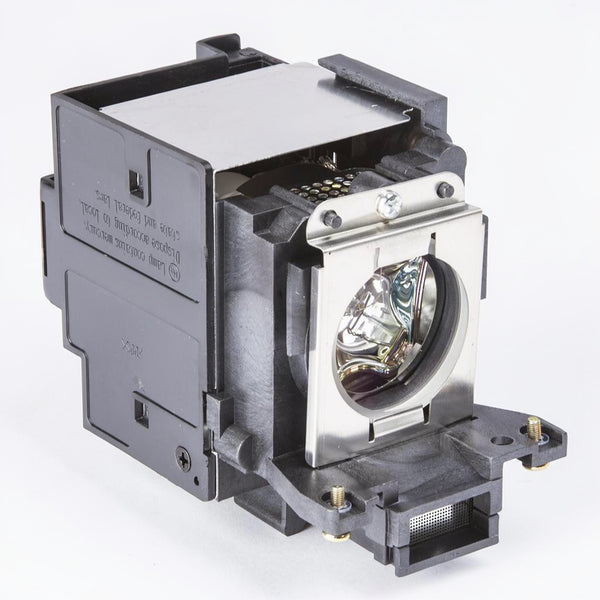
Replacing the Sony CX155 lamp.
The Sony CX155 uses the LMP-C200 lamp, sold as a complete module. This unit has the bulb fitted in its housing for a quick swap.
22 other Sony models use the same lamp, including the CW125, CX100, CX120 and CX130. Owners of these projectors can use the same code. This makes it easy for AV teams managing multiple rooms to stock a single spare part.
The complete module is the faster option, as you do not need to handle the bulb directly. It fits directly into the projector. After installation, reset the lamp-hour counter from the projector's menu. Our 180-day guarantee covers fitment issues.
Checked against our catalogue and the projector's published specifications, October 2026.Every code this lamp is sold under.
The code moulded into your old lamp or printed on its housing may be any of these. If it appears here, it fits the Sony CX155.
Check the code before you order
The code on your old lamp or its housing should match one of the codes listed. Sony and third-party suppliers sell the same lamp under several numbers.
Not sure it's your model?
The model number is on a label on the base or rear of the projector, and in the on-screen menu under Information. Still unsure? Ask a specialist and we'll confirm.
Sony CX155 specifications.
The figures that matter when you replace the lamp, plus the projector's key specs.
This lamp also fits 22 other Sony models.
If your projector is one of these rather than the CX155, the same lamp is the correct part.
Common questions.
Which lamp does the Sony CX155 use?
The Sony CX155 uses the LMP-C200 lamp, sold as a complete module. This unit comes with the bulb already fitted in its housing for a quick and easy swap. Check your old lamp for this exact code before ordering.
Is LMP-C200 the correct code for the Sony CX155?
Yes, the Sony CX155 requires the LMP-C200 lamp. This code refers to the complete module with the bulb fitted in its housing. No other codes are listed for this model. Verify the code on your old lamp or the projector label to ensure compatibility.
How long does the Sony CX155 lamp last?
Lamp life varies based on usage conditions and maintenance. We recommend checking the projector manual for specific care instructions to maximize the lifespan of the LMP-C200 module.
Should I buy the module or the bare bulb for the Sony CX155?
For the Sony CX155, we sell the LMP-C200 as a complete module only. This unit has the bulb fitted in its housing, making it the quicker swap option. It includes a genuine OEM burner. You do not need to move the bulb yourself, reducing the risk of damage.
Which other Sony projectors use the same lamp as the Sony CX155?
22 other Sony models use the same lamp as the Sony CX155, including the CW125, CX100, CX120 and CX130. These projectors share the LMP-C200 code. If you own one of these models, the same complete module is compatible. Check your projector label to confirm.
The Sony CX155 lamp at a glance.
At four hours a day, that is roughly 1.4 years in normal mode or 2.1 years in eco mode before the CX155 asks for a new lamp. Running it in eco mode is the single easiest way to stretch the lamp — at the cost of some brightness.
Replacing the lamp in the Sony CX155.
- Switch the projector off, unplug the AC power cord and, if it has been running, wait at least one hour for the lamp to cool.
- Loosen the three lamp-cover screws with a Phillips screwdriver; on a ceiling mount, hold the cover so it cannot drop.
- Lift the lamp cover off by sliding your fingers under it.
- Loosen the three screws on the lamp unit, hold the knob and pull the old lamp out; keep metal or flammable objects out of the lamp slot.
- Push the new LMP-C200 lamp fully in without touching its glass, then tighten its three screws.
- Refit the lamp cover exactly as it was and tighten its three screws; the projector will not power on if the lamp or cover is not seated properly.
- Plug the power cord back in, turn the projector on and reset the lamp timer.
Then reset the lamp timer.
Until you reset it, the CX155 keeps counting from the old lamp's hours and will warn that the new lamp is expiring.