
NEC NP41 projector lamp
The NEC NP41 takes lamp NP08LP, a 200 W lamp rated for 2,500 hours. It is available both as a complete module (bulb fitted in its housing) and as a bare bulb for re-using your existing housing. The same lamp is also sold under 1 other part number, all listed below. It fits 16 NEC models in total.
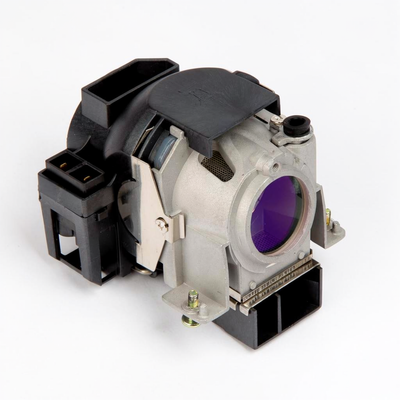

The code moulded into your old lamp or printed on its housing may be any of these. They are the same part. If the code on your lamp appears in this table, it fits the NEC NP41.
| Code | Used by |
|---|---|
NP08LP | NEC original part number |
60002446 | Equivalent code |
The code printed on your old lamp or its housing should match one of the codes listed above. NEC and third-party suppliers sell the same lamp under several numbers.
The model number is on a label on the base or rear of the projector, and in the on-screen menu under Information. Still unsure? Send a photo of the old lamp and we'll confirm the match.
If your projector is one of these rather than the NP41, the same lamp is the correct part.
Which lamp does the NEC NP41 take?
The NEC NP41 uses NP08LP, also sold as 60002446.
Should I buy the bare bulb or the module?
Both are available. The module is the bulb already fitted in its housing and is the quicker swap. The bare bulb is cheaper and re-uses your existing housing, but you move the bulb across yourself.
How long does the NP41 lamp last?
NP08LP is rated for 2,500 hours at 200 W. Actual life depends on the lamp mode you run and how the projector is ventilated.
Does the same lamp fit other NEC projectors?
Yes. The same lamp also fits the NEC NP41+, the NEC NP41G, the NEC NP41J, the NEC NP43, the NEC NP43+, the NEC NP43G and other NEC models listed on this page.
At four hours a day, that is roughly 1.7 years in normal mode or 2.4 years in eco mode before the NP41 asks for a new lamp. Running it in eco mode is the single easiest way to stretch the lamp — at the cost of some brightness.
- Switch the projector off, wait for the cooling fan to stop, unplug the power cable and let the lamp cool for at least one hour.
- Lay the projector upside down on a soft cloth so you can reach the lamp cover on the underside.
- Loosen the captive lamp cover screw until the screwdriver turns freely, then lift off the cover.
- Loosen the two captive lamp housing screws and pull the housing out by its handle; if the old packing ring stays stuck inside, pull it off its stud first. Do not try to defeat the cover interlock.
- Push the new NEC lamp housing in until it plugs into the socket, then tighten its two screws alternately until both are fully tight, or air can leak from the cooling pump and cause a pump error. Keep fingerprints off the glass.
- Refit the lamp cover and fully tighten its screw.
- Replace the cooling pump supplied with the lamp: remove the pump cover, keep the connector contacts clean, slide the new cover's tabs into the cabinet guide and tighten its screw.
- Reconnect the power cable, switch on and clear the lamp hours.
Until you reset it, the NP41 keeps counting from the old lamp's hours and will warn that the new lamp is expiring.