
BenQ W1720 projector lamp
The BenQ W1720 takes lamp 5J.JHN05.001, a 240 W lamp . It comes as a complete module, with the bulb already fitted in its housing. It fits 7 BenQ models in total.
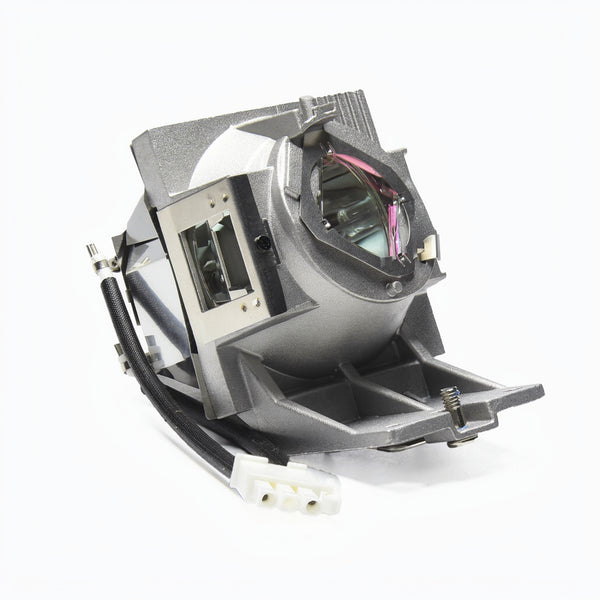
Replacing the BenQ W1720 lamp.
The BenQ W1720 uses the 5J.JHN05.001 lamp, also sold as MPLL11887. We sell it as a complete module, with the bulb already fitted in its housing. This is the quickest swap option for this projector model.
This lamp is also used by six other BenQ models, including the HT2550, TK800 and W1700. If you own any of these projectors, the same part codes apply. You can check the code on the old lamp or the model label to confirm.
Our complete module carries a genuine OEM burner. We include free shipping in the displayed price. A 180-day guarantee covers the lamp from the day it arrives, offering a replacement or refund if there is a fitment issue. Reset the lamp-hour counter after fitting.
Checked against our catalogue and the projector's published specifications, October 2026.Every code this lamp is sold under.
The code moulded into your old lamp or printed on its housing may be any of these. If it appears here, it fits the BenQ W1720.
Check the code before you order
The code on your old lamp or its housing should match one of the codes listed. BenQ and third-party suppliers sell the same lamp under several numbers.
Not sure it's your model?
The model number is on a label on the base or rear of the projector, and in the on-screen menu under Information. Still unsure? Ask a specialist and we'll confirm.
This lamp also fits 6 other BenQ models.
If your projector is one of these rather than the W1720, the same lamp is the correct part.
Common questions.
Which lamp does the BenQ W1720 use?
The BenQ W1720 uses the 5J.JHN05.001 lamp, also sold as MPLL11887. We supply this code as a complete module, with the bulb already fitted in its housing.
Is MPLL11887 the same as 5J.JHN05.001 for the BenQ W1720?
Yes, for the BenQ W1720, MPLL11887 and 5J.JHN05.001 are equivalent codes for the same complete module. The bulb is already fitted in its housing in both cases. Use whichever code is printed on your old lamp or model label to ensure correct fitment.
Should I buy the module or the bare bulb for the BenQ W1720?
For the BenQ W1720, we only sell the complete module (5J.JHN05.001). The bulb is already fitted in its housing. This is the quickest swap option. A bare bulb is not available for this specific projector model from our stock.
Which other BenQ projectors use the same lamp as the BenQ W1720?
Six other BenQ models use the same lamp as the BenQ W1720, including the HT2550, TK800 and W1700. Owners of these projectors can use the same 5J.JHN05.001 or MPLL11887 codes. Check the model label on your projector to confirm compatibility.
How do I know the BenQ W1720 lamp needs replacing?
Replace the BenQ W1720 lamp when you notice dimming, color shift, or if the projector shows a lamp warning indicator. The projector may also display a lamp-hours reading approaching its rated life. Check the code on the old lamp before ordering the replacement.
The BenQ W1720 lamp at a glance.
Replacing the lamp in the BenQ W1720.
- Power off and unplug the projector; if the lamp is hot, let it cool for about 45 minutes.
- Loosen the screws on the sides holding the lamp cover and take the cover off; never power on with the cover open.
- Peel away the transparent protection film, unplug the lamp connector, loosen the lamp screw and raise the handle upright.
- Draw the lamp out slowly by its handle so it does not snap out.
- Seat the new lamp by lining up its connector and two locating points, push it until it locks, then reconnect the lamp connector.
- Tighten the lamp screw without overtightening and lay the handle flat until it locks.
- Put the protection film back, refit the lamp cover and tighten its screws, then reconnect power and restart.
- If ceiling-mounted upside down, keep everyone clear beneath the lamp socket; avoid touching the empty compartment or the lens.
Then reset the lamp timer.
Until you reset it, the W1720 keeps counting from the old lamp's hours and will warn that the new lamp is expiring.