
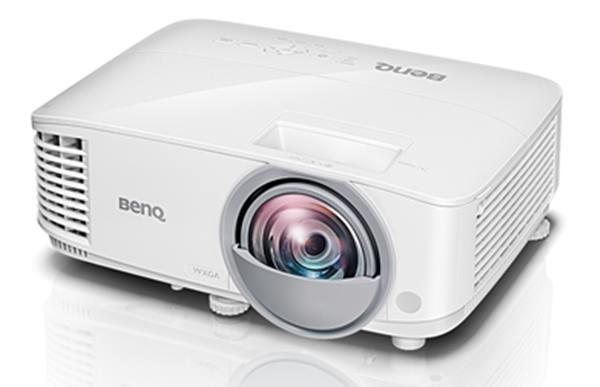
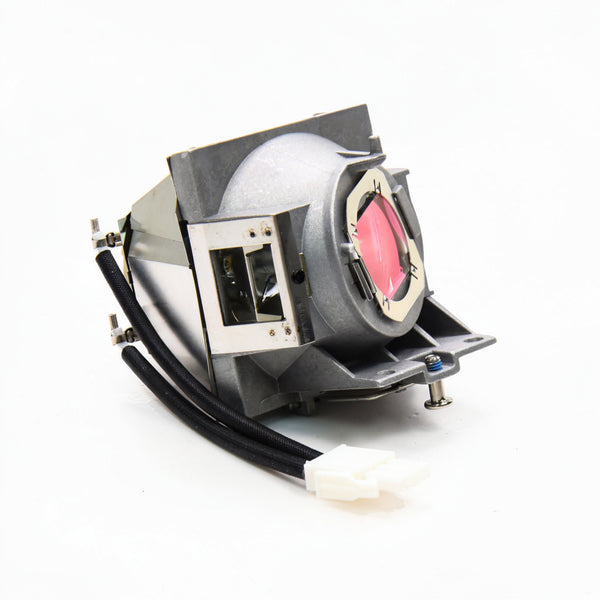
BenQ MX825ST projector lamp
The BenQ MX825ST takes lamp 5J.JGP05.001 rated for 5,000 hours (15,000 hours in eco mode) . It comes as a complete module, with the bulb already fitted in its housing. It fits 13 BenQ models in total.
Replacing the BenQ MX825ST lamp.
The BenQ MX825ST uses the 5J.JGP05.001 lamp. Its projector specs give a 200W metal halide bulb, with a 5,000 hour life in normal mode and 15,000 hours in eco mode. We supply it as a module, so the bulb comes ready fitted in its housing.
This is a 1024x768 XGA DLP projector, released in July 2017 and discontinued in January 2022. It is rated at 3,300 lumens (ANSI), uses a single 0.55-inch DLP chip with a six-segment color wheel, and has a 0.61:1 throw ratio. It weighs 5.7 lbs and is rated at 33 dB in normal mode. The same lamp is used by 12 other models, including the MX550, MX604W and MX826.
Match the code on your old lamp or the projector's label against 5J.JGP05.001 before ordering. Because the lamp is a complete module, the bulb is already in its housing and nothing needs moving by hand. After fitting, reset the lamp-hour counter from the projector's menu and follow the user manual.
Checked against our catalogue and the projector's published specifications, October 2026.Every code this lamp is sold under.
The code moulded into your old lamp or printed on its housing may be any of these. If it appears here, it fits the BenQ MX825ST.
Check the code before you order
The code on your old lamp or its housing should match one of the codes listed. BenQ and third-party suppliers sell the same lamp under several numbers.
Not sure it's your model?
The model number is on a label on the base or rear of the projector, and in the on-screen menu under Information. Still unsure? Ask a specialist and we'll confirm.
BenQ MX825ST specifications.
The figures that matter when you replace the lamp, plus the projector's key specs.
This lamp also fits 12 other BenQ models.
If your projector is one of these rather than the MX825ST, the same lamp is the correct part.
Common questions.
Which lamp does the BenQ MX825ST use?
The BenQ MX825ST uses the 5J.JGP05.001 lamp, a 200W metal halide bulb that we sell fitted in its housing. Before you order, compare that code with the one on your current lamp. Every lamp we sell carries a genuine OEM burner.
How long does the BenQ MX825ST lamp last?
The BenQ MX825ST lamp is rated for 5,000 hours in normal mode and 15,000 hours in eco mode. Choosing eco mode triples the rated life, so your usual setting determines when to replace it. Plan a replacement as the lamp-hour reading nears the figure for your mode.
Which other BenQ projectors use the same lamp as the MX825ST?
The BenQ MX825ST shares the 5J.JGP05.001 lamp with 12 other models. Examples include the DX825ST, MS550 and MX604. Owners of any of these can use the same code, so compare the label on the current lamp first.
How do I know the BenQ MX825ST lamp needs replacing?
The BenQ MX825ST lamp needs replacing when you notice dimming, a color shift or a lamp warning on the projector. Keep a note of the lamp-hour total, since the 5,000 hour normal rating is the guide.
How fast is delivery for the BenQ MX825ST lamp?
The BenQ MX825ST lamp takes 3 to 7 working days to reach the Middle East and Africa. Orders to the rest of the world arrive in around 5 to 9 working days, so a changeover needs planning around that gap.
The BenQ MX825ST lamp at a glance.
At four hours a day, that is roughly 3.4 years in normal mode or 10.3 years in eco mode before the MX825ST asks for a new lamp. Running it in eco mode is the single easiest way to stretch the lamp — at the cost of some brightness.
Replacing the lamp in the BenQ MX825ST.
- Switch the projector off and unplug it; if the lamp is hot, let it cool for about 45 minutes.
- Loosen the screw(s) holding the lamp cover on the side of the projector and take the cover off.
- Unplug the lamp connector, loosen the screw(s) holding the lamp, raise the handle and draw the lamp out slowly so it does not break.
- Fit the new lamp, lining up the connector and the two locating points, press it into its locked position and plug the lamp connector back in.
- Tighten the lamp screw(s) without over-tightening and make sure the handle lies flat and locked.
- Refit the lamp cover and tighten its screw; never power on with the cover open.
- If the projector hangs upside-down from the ceiling, keep anyone from standing under the lamp socket; do not reach into the empty lamp bay or touch the optics.
- Reconnect power, restart the projector and reset the lamp timer.
Then reset the lamp timer.
Until you reset it, the MX825ST keeps counting from the old lamp's hours and will warn that the new lamp is expiring.